Unlocking Design Potential with the Mobile Function Icon Set
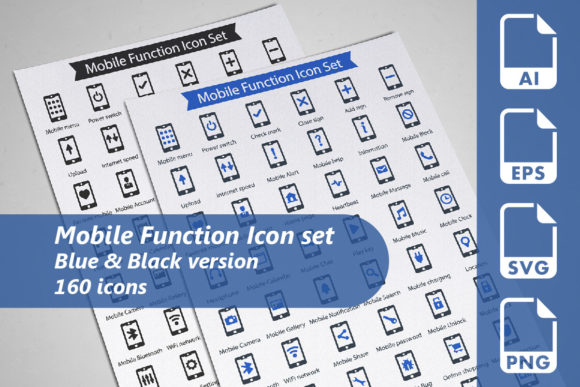
The Mobile Function Icon Set is a comprehensive collection of 160 meticulously designed icons, perfect for enhancing any design project. Whether you're a professional designer, a marketer, or a small business owner, this set offers a versatile and strategic tool to elevate your visual communication and user experience.
Why Choose the Mobile Function Icon Set?
The Mobile Function Icon Set is not just a collection of images; it's a strategic asset that can support various goals and enhance the overall quality of your projects. Here’s why it stands out:
- Versatility: With 160 icons in two versions (Blue and Black), the set caters to a wide range of design needs, from websites and presentations to promotional materials and infographics.
- Fully Editable Vectors: The icons are provided in fully editable AI and EPS files, allowing for customization to fit your specific brand and design requirements.
- High-Resolution Formats: Each icon is available in SVG (128x128 pixels) and transparent PNG (256x256 pixels) formats, ensuring high-quality visuals across different platforms and devices.
Strategic Use Cases for the Mobile Function Icon Set
The Mobile Function Icon Set can be a powerful tool when used thoughtfully. Here are some strategic use cases to consider:
Enhancing User Experience on Websites and Apps
Incorporating the Mobile Function Icon Set into your website or app can significantly improve user navigation and engagement. Icons can serve as intuitive visual cues, guiding users through the interface and highlighting key features. For example, using a "settings" icon can help users quickly find and adjust their preferences, while a "search" icon can make finding information more accessible.
Strengthening Brand Identity and Consistency
A consistent and well-designed set of icons can reinforce your brand identity. By using the Mobile Function Icon Set across all your digital and print materials, you can create a cohesive and recognizable visual language. This consistency helps build trust and familiarity with your audience, making your brand more memorable and professional.
Creating Engaging Presentations and Educational Materials
Visuals play a crucial role in effective communication. The Mobile Function Icon Set can transform your presentations, educational materials, and infographics by adding clarity and impact. For instance, using a "lightbulb" icon to represent ideas or a "checkmark" to indicate completed tasks can make your content more engaging and easier to understand.
Planning and Implementation Tips
To get the most out of the Mobile Function Icon Set, it's essential to approach its use strategically. Here are some planning and implementation tips:
- Define Your Goals: Clearly define what you want to achieve with the icons. Are you aiming to improve user navigation, enhance brand recognition, or make your content more visually appealing? Setting clear goals will guide your selection and placement of icons.
- Consider Your Audience: Understand who your audience is and what they need. Choose icons that resonate with them and align with their expectations. For example, if your audience is tech-savvy, they may appreciate more detailed and modern icons.
- Test and Iterate: Before finalizing your designs, test the icons with a small group of users. Gather feedback and make necessary adjustments. This iterative process ensures that the icons are effective and meet the needs of your audience.
- Maintain Consistency: Use the same style and color scheme across all your materials. Consistency in design helps build a strong and cohesive brand image.
Potential Risks and Considerations
While the Mobile Function Icon Set offers numerous benefits, there are potential risks to be aware of. Using icons without a clear strategy or context can lead to confusion and a disjointed user experience. Here are some considerations to keep in mind:
- Avoid Overuse: Using too many icons can clutter your design and overwhelm users. Be selective and use icons only where they add value and clarity.
- Context Matters: Ensure that the icons you choose are appropriate for the context. For example, an icon that works well on a mobile app may not be suitable for a formal report.
- Accessibility: Consider the accessibility of your icons. Make sure they are easily distinguishable and do not rely solely on color to convey meaning. This is especially important for users with visual impairments.
Conclusion
The Mobile Function Icon Set is a valuable resource for anyone looking to enhance their design projects. By using it strategically and thoughtfully, you can improve user experience, strengthen brand identity, and create more engaging and effective content. Remember to plan carefully, consider your audience, and maintain consistency to achieve the best results. With the right approach, the Mobile Function Icon Set can be a powerful tool in your design arsenal.